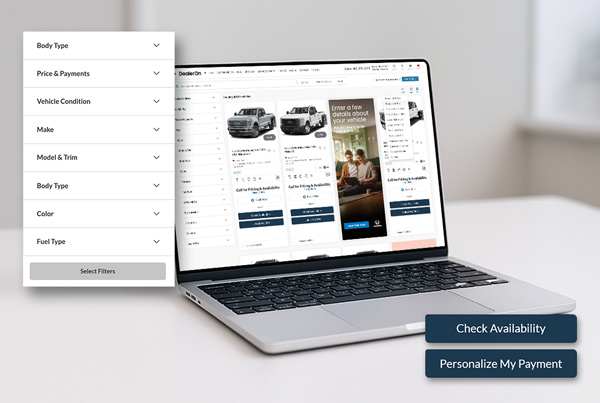
Spring is the perfect time to take a fresh look at your dealership’s website; especially your Search Results Page (SRP), where serious shoppers make decisions. A quick seasonal tune-up can streamline how customers browse your inventory, making it easier for them to find the right vehicle and easier for you to turn that interest into leads.
Give your SRP a spring refresh. Optimize filters, sorting, and CTAs to create a smoother shopping experience.
Spring is the season for fresh starts and tidying up around the house – that cleanup applies to your dealership website, too.
The SRP is where real shopping happens. It’s where customers compare vehicles, narrow their options, and decide which listings deserve a closer look.
But over time, small issues start creeping in. Filters get cluttered. Sorting defaults become outdated. New tools get added but never fully configured. A little “spring cleaning” of your SRP can dramatically improve the online shopping experience and ultimately lead to more leads.
Here are a few areas worth tidying up.
1. Reorder Your Filters Based on How Customers Actually Shop
Filters are one of the most important tools on your inventory search page, and there is opportunity to arrange it strategically. If shoppers have to dig through irrelevant filters just to find what they want, they’re more likely to abandon their search.
Take a few minutes to review your filter layout and move the most common search criteria to the top. Typically, shoppers look for:
- Body type
- Price range
- Condition (new or used)
- Make or model
- Color
- Fuel type
Your most frequently used filters should always be visible first. If they’re buried halfway down the list, it’s time to rearrange them. Think of this step as reorganizing the most-used drawers in your kitchen – you want the tools people use most within easy reach.
2. Make Sure Your Filters Use Shopper-Friendly Language
Dealer systems sometimes use technical terminology that doesn’t match how customers search.
For example, filters labeled:
- Drivetrain Configuration
- Transmission Type
These labels may technically be correct – but most shoppers are looking for simpler terms like AWD, 4WD, or Automatic.
Spring cleaning your SRP is a great time to review your filter language and make sure it matches how real shoppers think. The simpler the terminology, the faster customers can narrow their search.
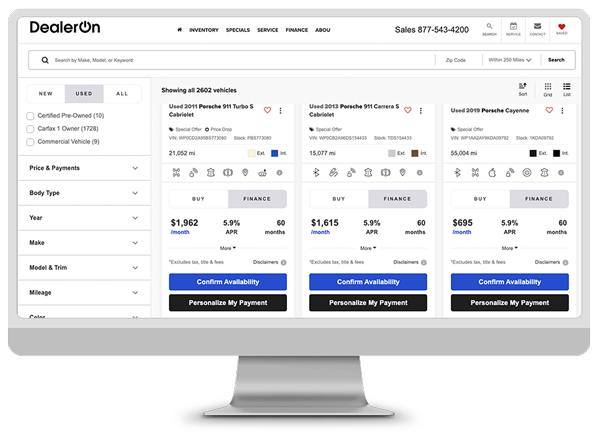
Simplify filter labels and limit calls-to-action to keep shoppers focused; too many choices can overwhelm users and drive them away before they take the next step in their shopping journey.
3. Review Your Default Sort Settings
Another setting that often goes untouched is the default sort order. But the order in which vehicles appear can shape how customers evaluate your inventory. Some dealers benefit from sorting by:
- Lowest price first
- Newest model year
- Aged Inventory
- Inventory age
There’s no one-size-fits-all answer, but it’s worth asking: Are the vehicles we most want to sell appearing first? If the answer is no, your default sort may need an update. Separate strategies for new vs used are also important. As model years turn over dealers may want to highlight aged inventory first for new, yet sort by savings on pre-owned.
There are several sort options to consider including (but not limited to) price, payment, model year, or distance. Ensure the default view matches dealer strategies, and customers can always change to their own preferences.
4. Reduce Clutter in Calls-to-Action
This one might be controversial, but just like cleaning out your closet to make it easier to pick the perfect outfit, sometimes less really is more. When shoppers are comparing vehicles, too many calls-to-action can often create confusion.
If every listing has multiple buttons competing for attention, customers may hesitate instead of taking action. As part of your SRP cleanup, review how many CTAs appear on each listing. In most cases, two or three clear actions are enough, such as:
- Check Availability
- Call for Details
- Schedule a Test Drive
Less clutter keeps shoppers focused on the next step. Move any non-VIN specific CTAs to an inline and tailor the right message to the right shopper. “Value Your Trade” or “Get Approved” are perfect actions to move inline, because the lead operates independently from the vehicle selected; meaning it doesn’t matter what stock number the customer is interested in, the power in the lead is with the credit app or trade evaluation.
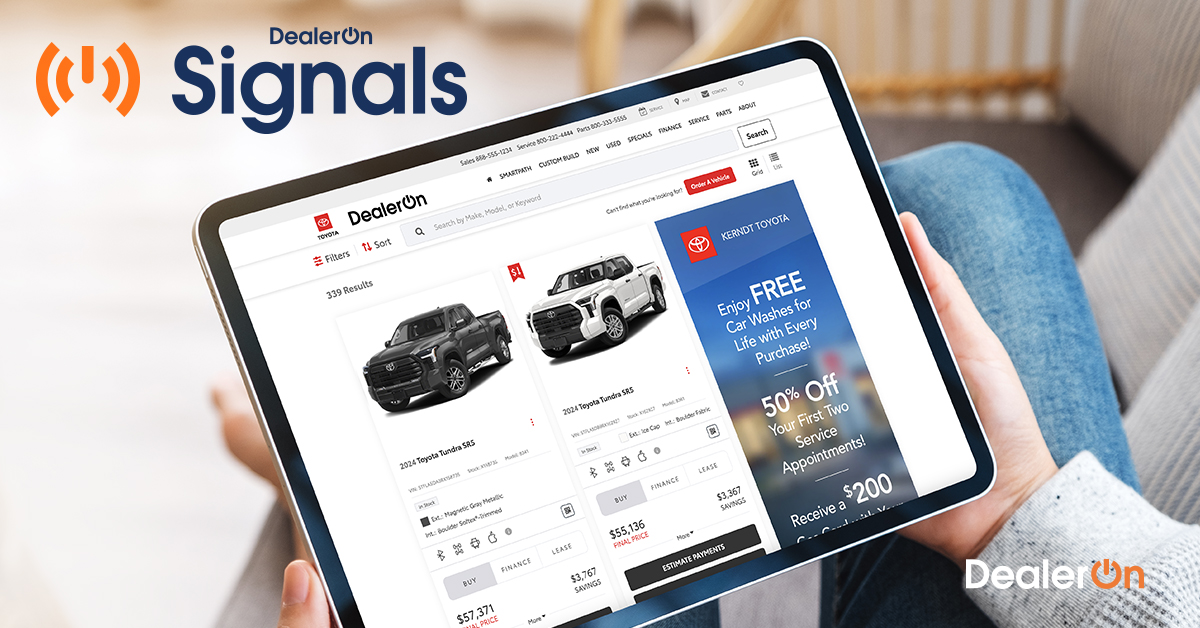
Personalized SRP experiences—like “For You” vehicle recommendations—keep shoppers engaged longer and drive higher conversion rates on DealerOn websites powered by Signals.
5. Look for Opportunities to Personalize the Experience
A personalized shopping experience helps to drive a shopper towards conversion, and can highlight those inline messages, but can also do so much more.
For example, if a shopper repeatedly looks at SUVs within a certain price range, your website can highlight similar vehicles with recommendations like “For You.”
This type of personalization keeps shoppers engaged and encourages them to continue exploring your inventory. DealerOn websites with Signals personalization experience higher engagement rates and conversions,
A Cleaner SRP Creates a Better Shopping Experience
Your inventory search page works hard every day. Like any high-traffic space, it benefits from a little regular maintenance.
Taking time each season to clean up filters, adjust sorting, simplify CTAs, and review the overall experience can make browsing smoother for shoppers – and help guide them toward the vehicles you want to sell most. Learn more tips about showcasing inventory by listening to the recording of our Inventory Power Hour webinar!